You Don't Need to Be a Designer to Create Clearer Visuals.
Learn the visual principles behind better layouts, more thoughtful color choices, and readable typography. Make your presentations, social posts, documents, and printed materials easier to follow—without needing a formal design background.
Good Information Can Get Lost in a Confusing Layout.
You may know exactly what you want to communicate, but presenting that information clearly can be another challenge. Small visual choices influence what people notice, understand, and remember.
Your pages feel crowded
Too many competing elements can make it difficult for readers to identify the main message.
You are unsure about colors and fonts
Choosing combinations that feel consistent and keep text readable is not always straightforward.
Important details are easy to miss
When headings, dates, prices, or key points are not clearly organized, readers have to search for them.
Your materials look inconsistent
Different alignments, spacing, colors, and text styles can make related pages feel disconnected.
A Practical Guide to Visual Communication.
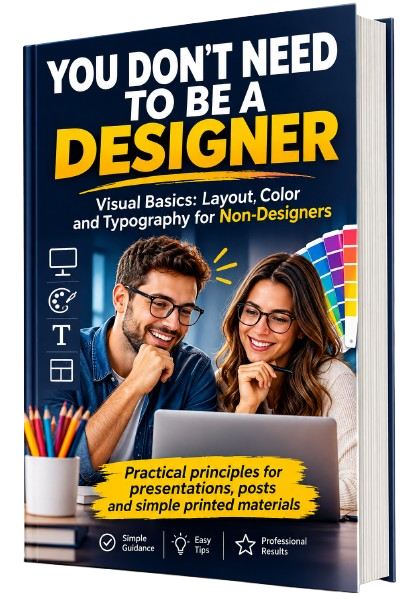
You Don't Need to Be a Designer: Visual Basics: Layout, Color and Typography for Non-Designers is a guide for people who create visual materials without formal design training.
The book explains why some pages feel organized and easy to read while others feel crowded or confusing. It introduces practical visual principles in plain language and shows how they relate to everyday materials.
- Understand how readers scan a page and where their attention goes first.
- Explore the principles that create structure and visual order.
- Make more deliberate decisions about color, fonts, spacing, and readability.
- Apply the concepts to presentations, social posts, documents, and print.
- Review visual materials before sharing or publishing them.
Explore the 24 Chapters.
From the foundations of visual communication to practical applications and a structured learning plan, the book covers the topics below.
Why Design Matters When You Are Not a Designer
How Readers Actually Look at a Page
Visual Hierarchy: Showing What Matters First
Alignment: Creating Order You Can Feel
Proximity: Grouping Things That Belong Together
White Space Is Part of the Design
Contrast as a Tool for Emphasis
Repetition and Consistency Across a Project
Color Basics: Hue, Saturation and Brightness
Building a Simple, Usable Color Palette
Color Contrast and the WCAG Requirements
Color Vision and Using Color Responsibly
Typefaces, Fonts and Font Families
Choosing Fonts Without Overthinking
Type Size, Line Length and Spacing
Building Typographic Hierarchy
Layouts for Presentations
Layouts for Social Posts and Simple Graphics
Layouts for Documents, Flyers and Print
Working With AI as a Visual Assistant
A Visual Review Process Before You Publish
Accessibility Beyond Color and Contrast
Your 30, 60 and 90 Day Plan
References and Further Reading
The book includes 24 chapters across 233 pages.
Concepts Connected to Everyday Work.
The book combines explanations with examples and practical reference material to help readers connect visual principles to the materials they create.
Chapter Checklists
Each chapter ends with a checklist of key points that can serve as a quick reminder while working.
Examples and Comparison Tables
Examples and tables compare common visual situations and explain choices that can make information easier to follow.
First Review in Ten Minutes
A short review process built around choosing a page, asking three questions, and identifying one change to make.
AI as a Visual Assistant
Explore ways to ask AI for visual suggestions and evaluate its responses while keeping your own judgment central.
Four-Pass Visual Review
A review process to help examine visual materials before they are shared or published.
30-, 60- and 90-Day Plan
A structured plan for developing your understanding and practice of visual communication over time.
Build Your Visual Skills Step by Step.
Chapter 23 presents a 30-, 60- and 90-day plan. It gives readers a way to organize their learning and revisit the visual principles covered throughout the book.
Start Observing
Use the book's foundations to pay closer attention to visual choices and the materials you encounter or create.
Continue Practicing
Build on the visual principles and continue applying what you have learned to everyday materials.
Consolidate Your Learning
Use the plan as a structure for reviewing your progress and strengthening your visual communication habits.
Make More Informed Visual Decisions.
The book gives you principles and practical guidance to consider when creating or reviewing visual materials.
Understand why some pages feel organized while others appear crowded or confusing.
Use visual hierarchy to make the most important information easier to identify.
Apply alignment, proximity, white space, contrast, and repetition with greater intention.
Explore color palettes, color contrast, and responsible color use.
Make more thoughtful choices about typefaces, font sizes, spacing, and typography.
Consider accessibility and readability when preparing materials for different readers.
Connect visual principles to presentations, social posts, documents, flyers, and print.
Review visual work more deliberately, including when using AI for assistance.
What You Get.
A focused digital book covering the foundations and practical applications of visual communication for non-designers.
You Don't Need to Be a Designer
Visual Basics: Layout, Color and Typography for Non-Designers
- 233-page digital edition
- 24 chapters, including references and further reading
- Guidance on layout, color, typography, and accessibility
- Examples, comparison tables, and chapter checklists
The product offered is the digital book described above.
Created for People Who Make Visual Materials.
You do not need a formal design background to work with visual communication. This guide is for people who want to make clearer choices when presenting information.
Small Business Owners
For those who prepare price lists, promotional materials, documents, and other business communication.
Students and Educators
For people who create presentations, learning materials, and documents.
Professionals and Teams
For people who prepare reports, slides, charts, and information for colleagues or clients.
Content Creators and Community Groups
For anyone who creates social posts, simple graphics, flyers, notices, or printed materials.
Visual Communication Without the Unnecessary Complexity.
The focus is on understanding the principles behind clear visual materials—not on turning every reader into a graphic design specialist.
What the Book Focuses On
Practical visual communication basics: layout, color, typography, accessibility, everyday applications, and a review process before publishing.
What the Book Does Not Claim to Teach
It is not professional graphic design training, drawing instruction, or a guide to building a brand identity. Its purpose is to help non-designers make clearer visual choices.
Bring More Clarity to the Visual Materials You Create.
Explore the principles of layout, color, and typography with a practical guide made for non-designers.
Visual Basics: Layout, Color and Typography for Non-Designers
Digital book · 233 pages · 24 chapters
7-Day Guarantee
Your purchase offer includes a 7-Day Guarantee. Review the purchase and guarantee information presented during checkout for the applicable details.
Frequently Asked Questions.
Do I need to be a graphic designer to understand this book?
No. The book was created for people who make visual materials without a formal design background. It explains visual communication principles in plain language.
What topics does the book cover?
It covers layout, visual hierarchy, alignment, proximity, white space, contrast, repetition, color, typography, accessibility, presentations, social posts, documents, print, AI as a visual assistant, and visual review.
How long is the book?
The digital edition contains 233 pages and 24 chapters.
Does it include practical material?
Yes. The book includes examples, comparison tables, chapter-end checklists, practical steps, a first review in ten minutes, a visual review process, and a 30-, 60- and 90-day plan.
Does the book teach professional graphic design?
No. Its focus is on the basics of visual communication for non-designers. It does not teach drawing, brand identity creation, or professional graphic design specialization.
Does the book discuss artificial intelligence?
Yes. Chapter 20 explains how AI can be used as a visual assistant, how to evaluate its suggestions, and why human judgment remains important.
What is included with the purchase?
The product presented on this page is the digital book You Don't Need to Be a Designer: Visual Basics: Layout, Color and Typography for Non-Designers.
How much does it cost?
The price shown on this offer page is $9.90.
Does the offer include a guarantee?
Yes. The offer includes a 7-Day Guarantee. Please review the applicable details during checkout.
You Have a Message to Share. Give It a Clearer Visual Structure.
Learn how layout, color, typography, and accessibility work together to make visual materials easier to follow. Start exploring the fundamentals with You Don't Need to Be a Designer.
7-Day Guarantee